Unlock doors with keycards or the AllowMe Virtual Key, a phone key that can't be copied. Manage every door from one web dashboard.
No wiring closets, no proprietary servers. Everything connects over Wi‑Fi and updates live.
Hold a keycard or NFC tag near the door reader, or tap your phone. Its Virtual Key proves it's really you with Face ID, fingerprint, or screen lock.
The ESP32 reader checks the credential (for phones, a cryptographic signature) together with its access rules and schedule, even when offline. A green LED and chime welcome you, or a red flash warns you if access is denied.
The 12V lock opens, safely relocks itself on a built-in timer, and records the entry live on your dashboard.
The AllowMe app turns each employee's phone into a Virtual Key, a cryptographic key. The secret lives in the phone's secure chip, never leaves it, and only works when the owner confirms it's them.
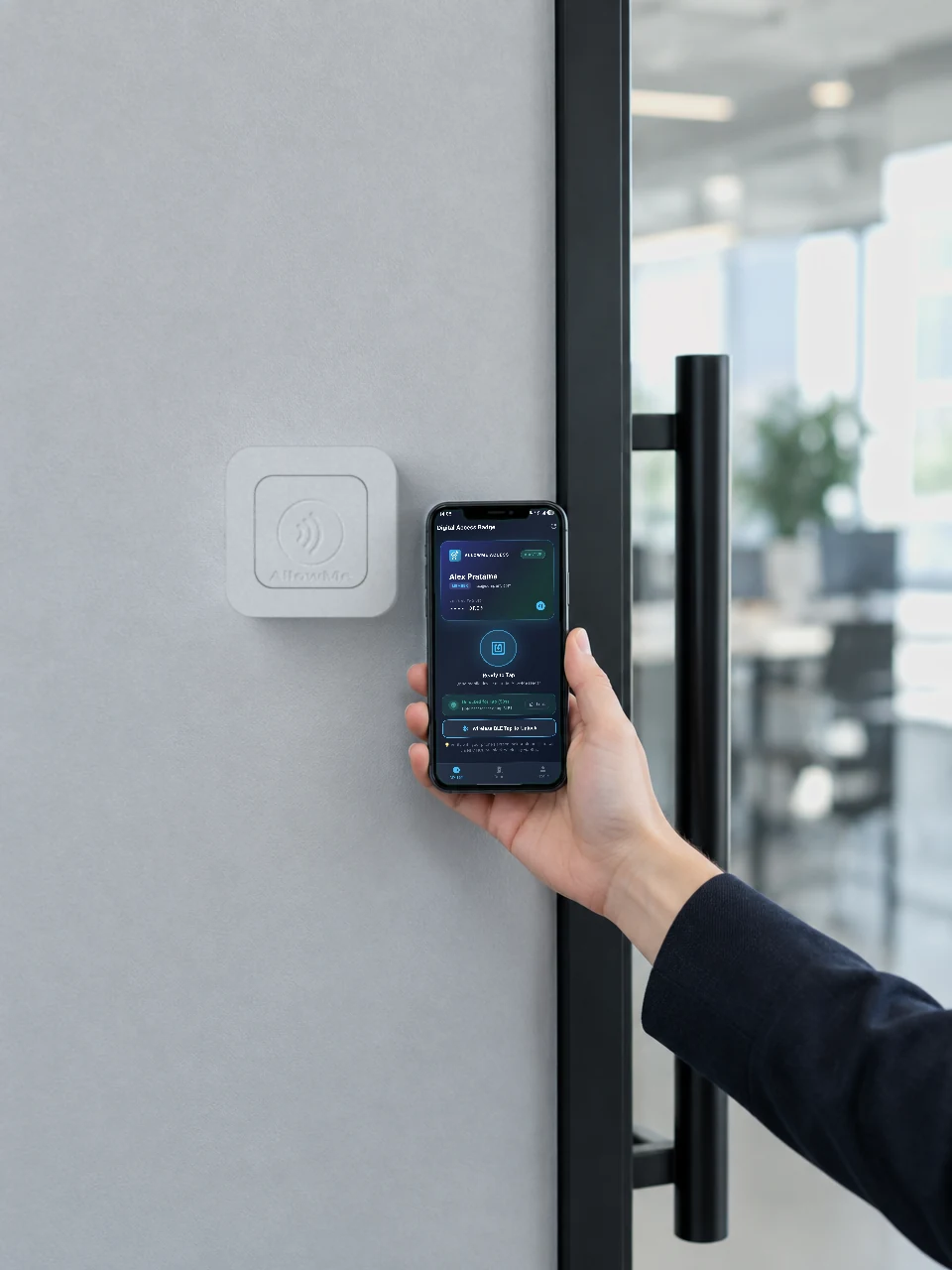
A fresh random code for this tap only. It expires in 15 seconds and can never be used again.
Face ID, fingerprint, or screen lock unlocks the Virtual Key.
The secure chip signs the challenge with a private key that never leaves the phone.
The door checks the signature and the phone's AllowMe certificate, then applies your access rules.
The private key is created inside the iPhone Secure Enclave or the Android Keystore. It can't be exported, backed up, or copied to another phone.
Every use needs Face ID, fingerprint, or screen lock, so a lost or borrowed phone can't open a door on its own.
Each tap answers a single-use challenge. Recorded radio traffic is useless, and generic Bluetooth apps can't open a door.
Block a phone from the dashboard and every connected door drops it right away. Offline doors drop it as soon as they reconnect.
Works on iPhone (Bluetooth, device passcode required) and Android 9+ (Bluetooth or NFC, screen lock required).
Enterprise-grade access control, translated into everyday simplicity.
See every door's status live and open doors from anywhere.
Run several organizations, buildings, or branches from one platform.
Staff sign in with Microsoft Entra ID, Okta, or another identity provider (OIDC or SAML).
Decide who can enter which door, and when.
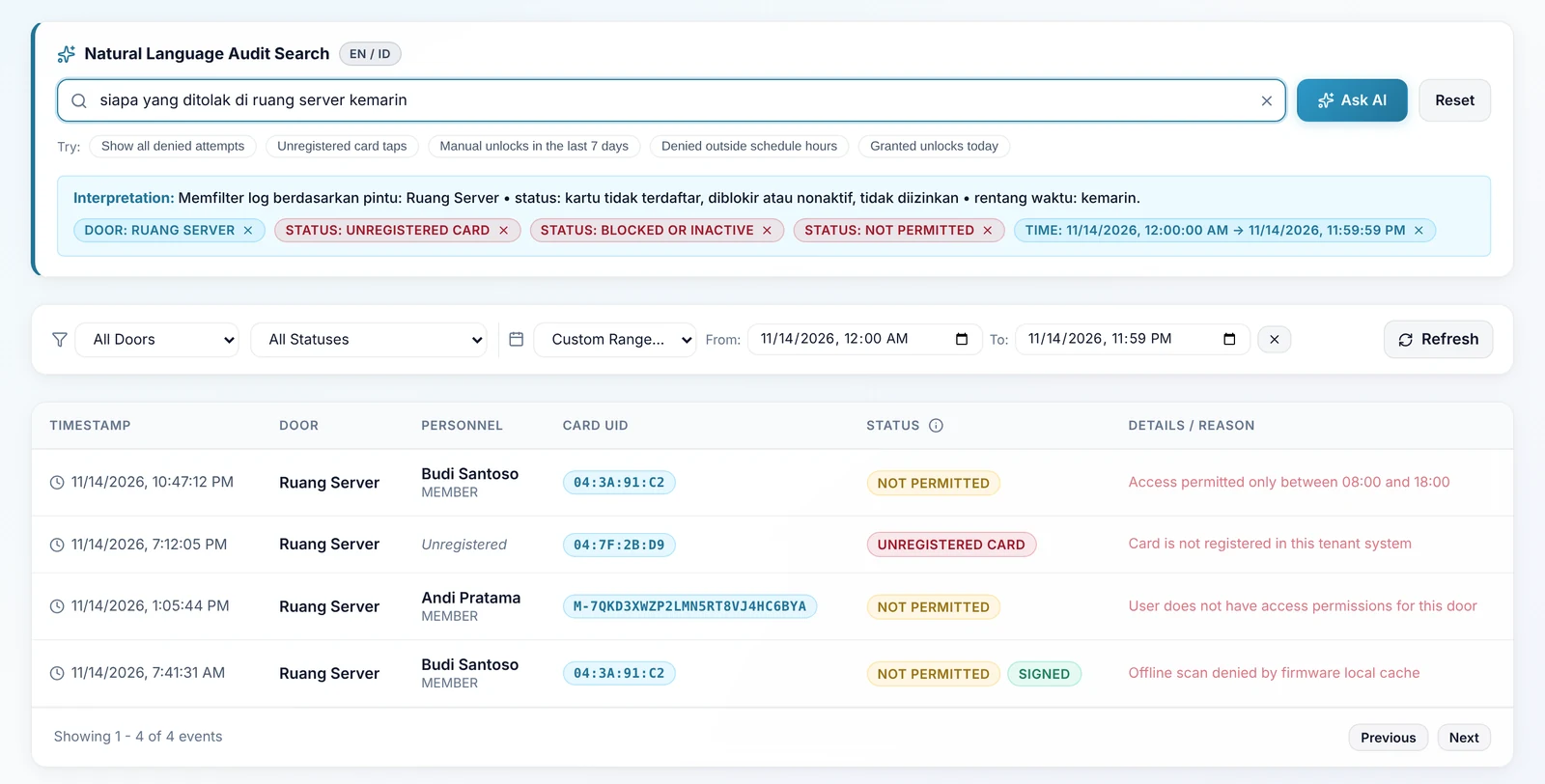
Every attempt is recorded: who, which door, when, and whether it was allowed.
Connect door events to HR, payroll, chat alerts, or building automation.
Type a question in English or Indonesian and get the matching entries, without building filters by hand.
Each door gets a compact AllowMe controller built on the ESP32. It connects over your office Wi‑Fi, needs no control panel or on-site server, and works with standard 12V electric locks and the keycards you already have.
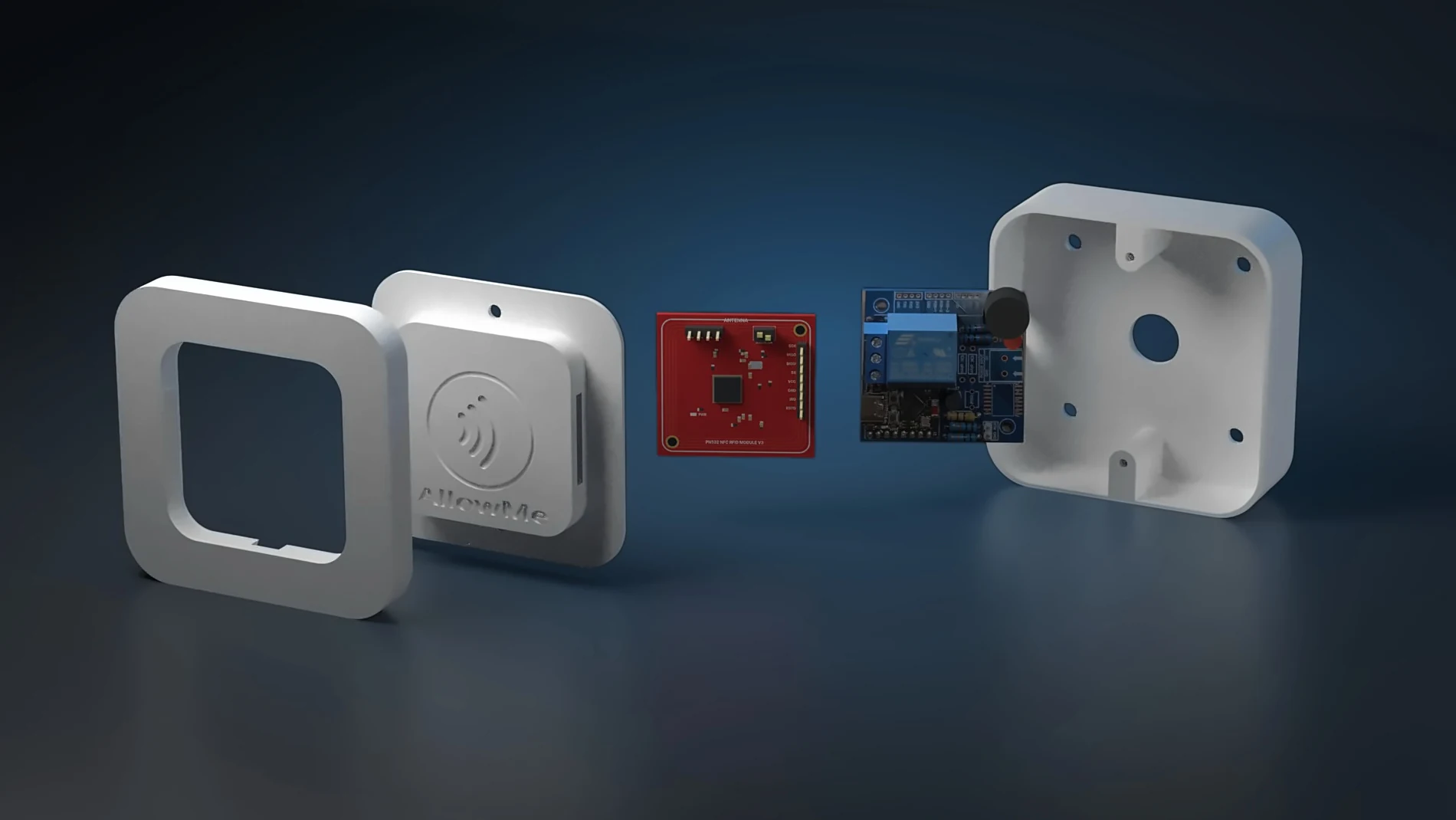
The AllowMe controller board connects directly over Wi‑Fi, sends live health heartbeats, reconnects after power or network blips, and installs only signed firmware updates.
Reads standard keycards and NFC fobs, and verifies the Virtual Key over Bluetooth (iPhone and Android) or NFC (Android). A green light and chime confirm each tap; a red flash and warning beeps flag a denial.
Switches standard 12V electric strikes or solenoid bolts. A timer on the controller relocks the door after every unlock, even when the network is down.
The Virtual Key is only the start. Commands, firmware, and logs are all cryptographically protected, so a leaked password or a spoofed message can't open a door.
Doors talk to the platform over TLS. Every unlock command is digitally signed, valid for only a few seconds, and accepted only once, so intercepted or forged commands are rejected.
Doors install only firmware signed with an offline release key. A new version runs on probation and rolls back automatically if it misbehaves, and updates go out in staged batches.
Each door signs and hash-chains the decisions it makes while offline. The dashboard marks every event as verified, unverified, or suspicious, so gaps and forgeries stand out.
Login attempts are rate-limited, every door has its own hashed credentials, and each organization's data stays isolated, including live activity feeds.
Traditional access control locks you into costly proprietary controllers, special cards, and recurring per-door licenses. AllowMe pairs an affordable controller with standard locks and keycards, so you spend significantly less to secure every door.
Yes. AllowMe works with popular keycards and NFC tags out of the box. Like most office systems, it identifies a keycard by its card number, which can be copied with the right tools. For sensitive rooms, we recommend the Virtual Key on employees' phones: it's sealed in the phone's secure hardware and can't be copied.
An admin blocks it in the dashboard with one click, and it stops working on every connected door right away; offline doors drop it as soon as they reconnect. A phone is also protected by its owner's Face ID, fingerprint, or screen lock, so it can't open a door on its own. A keycard that turns up again can be unblocked in one click.
The doors keep working. Each door checks keycards and Virtual Keys itself, using the access list AllowMe last sent to it. Remote unlock needs a connection. Decisions a door makes while offline are signed, stored on the door, and uploaded when it reconnects.
Yes. iPhones tap over Bluetooth and need a device passcode, and Face ID, Touch ID, or the passcode confirms every tap. Android phones tap over Bluetooth or NFC and need Android 9 or later with a screen lock.
Yes. Each organization's data is kept fully separate, and building managers can switch between organizations with one click.
Significantly less. AllowMe uses an affordable controller with no per-door license fees, and you can keep your existing keycards. Contact us for a quote tailored to your site.